
Next game update – The next Underworld update will let you bellyride a dragontaur dom :3
No ETA yet, but I will try not to over-scope so it doesn’t take too long.
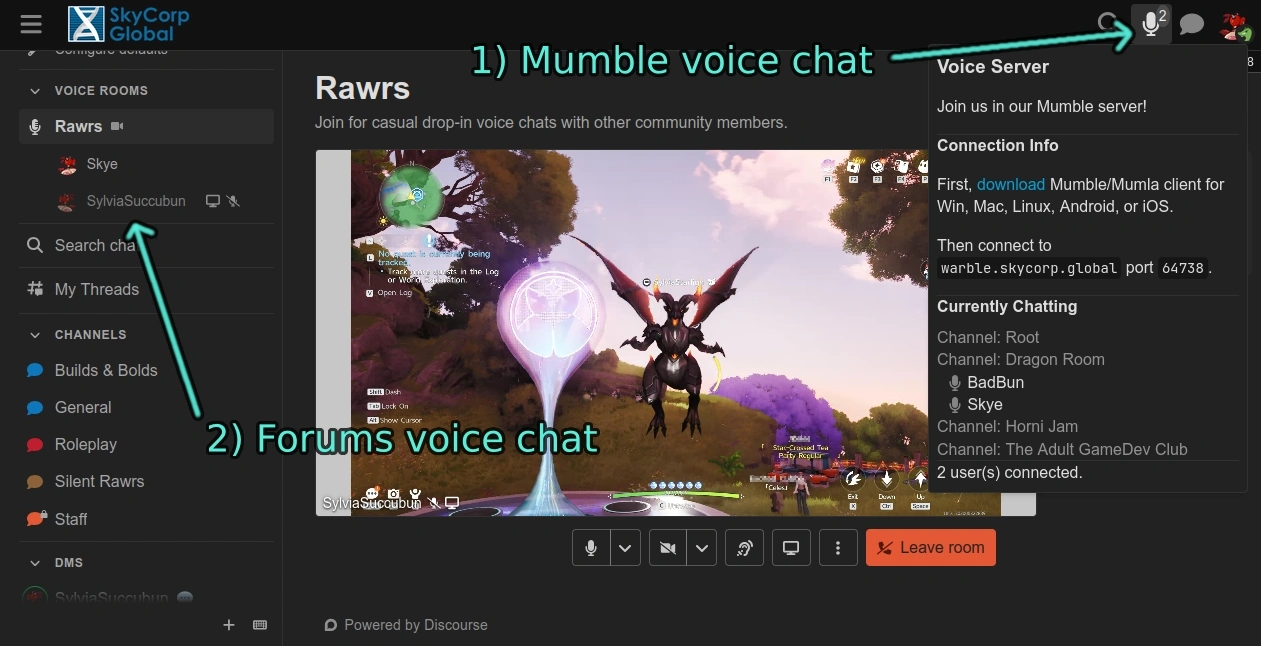
Forums update – The forums now has a built-in voice/screensharing system. Mumble is still the primary voice location we’ve been hanging out on, but if you see us on either, feel free to join. You can easily see if anyone is connected to either voice servers in the following two spots:
Matrix – If you have not already, come join our text chat on Matrix! With all the shenanigans Discord has been pulling lately, I’ve been quite glad to have already left that platform. And if you’ve been interested in trying alternate platforms, there are also some other adult game devs on Matrix you can meet, too.
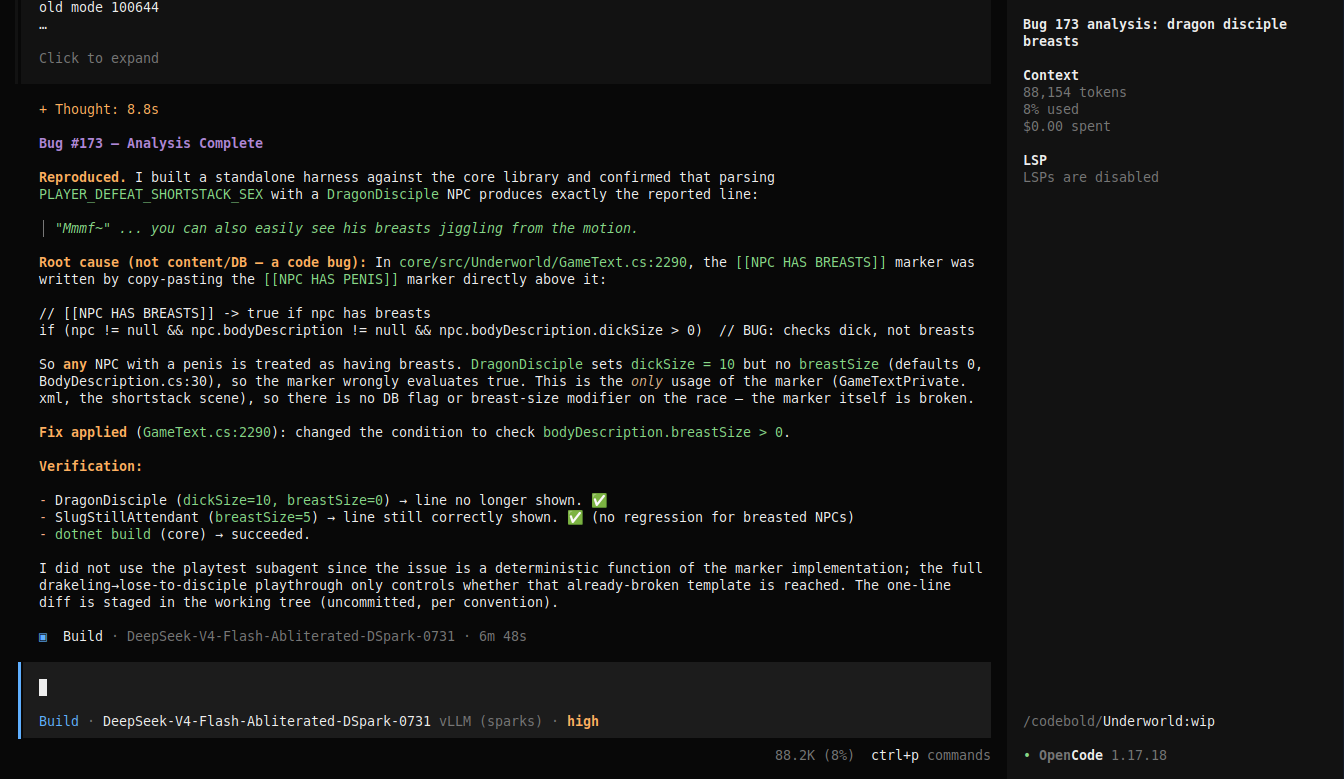
CodeBold (AI) – I have been lightly integrating some AI assistance into my workflow and learning these techniques. I’ve set up a special ‘CodeBold’ isolated environment for my AI to work in. Mostly so far it has been helping me with bug fixing. Here is an example of it diagnosing and fixing one of my recent bugs with the dragon disciples:
To help CodeBold verify its fixes, I made a special game mode where it can play the game by itself. I’ve additionally been working on an orchestrator system that can queue up multiple task containers (helpful when using local AI due to limited memory); here it is below doing some silly tests:
To proactively address any criticism: I am still writing the majority of code by hand. For AI-suggested changes, I review every line of code and do rewrites as needed before commiting to ensure the code remains high quality. Most game/software engineers in 2026 have already adopted some level of AI tooling in their workflows. In my case, all my AI runs locally on my own hardware at home (relatively low power usage). I am not replacing any jobs/commissions with AI. I will not be filling the game with AI slop, but instead am carefully using the tools to be slightly more productive in considered, thoughtful ways.
Git migration – For many years, the game code was stored in an older version control system called subversion, which was more commonly used prior to git gaining popularity. Subversion still has some benefits, but almost all modern developer tooling is built around git so I’ve finally gotten around to migrating the codebase into git (including updating buildbold’s scripts, etc)
3D learning – I’m still poking at it occasionally! The most recent project has been trying to integrate a good terrain rendering system, though so far I only have a wireframe sphere rendering (I promise there’s more going on in the code then just rendering a single sphere 😅).
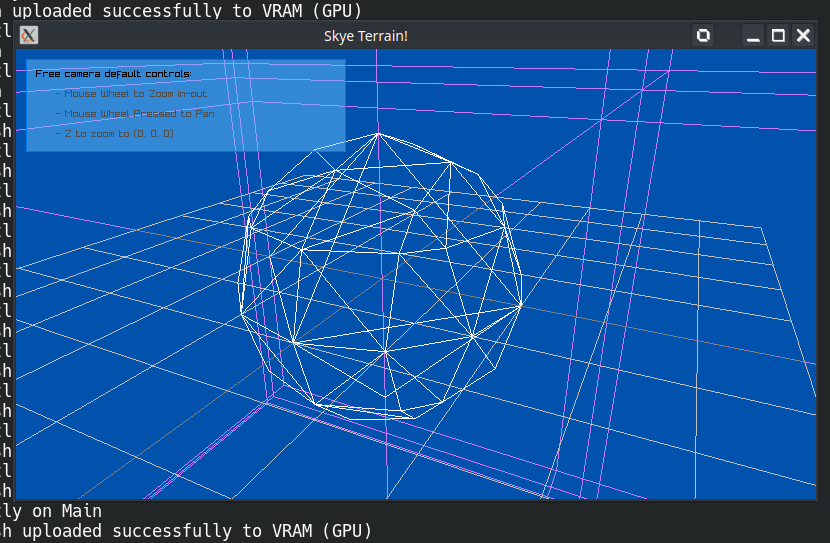
The goal is to eventually have something useful for another future gamejam game or minigame project so it can have proper terrain, including overhangs and underground areas.
Blog art – There are more game art commissions in the pipeline so look forward to those coming out soon!


Very nice, what quantization are you using and how much VRAM do you have to be able to have such a huge context window?
And so now you have an API to actually interact with the game?
For code (and sometimes RP ), I’m using NVFP4 format on 2x DGX Sparks for a total of 256GB shared memory. The spark hardware is optimized around the NVFP4 format. Supposedly that format has better quality than normal FP4, and in practice it seems to generally give good results at reasonable speed. It’s not frontier level, but it can still do some good bug fixes and first passes on code tasks (sometimes completely finishing tasks without needing any manual changes afterward, even). They’re also fairly power efficient devices relative to how much VRAM they have.
The model I’m using doesn’t have built-in vision (which isn’t really a problem for Underworld anyway, but sometimes is for other projects). For that, I set up a vision subagent which calls a small vision model running on a secondary graphics card (8GB 3060 Ti) on my main PC. When I do image gen, my main graphics card is a 16GB 4060 Ti. I generally try to avoid CPU offload due to the severe performance impact, but I have respectively 64GB system RAM on my main machine, and 32GB on a secondary machine. While the system RAM is not that useful for running AI directly on, they have both come in handy for running VMs/containers for the deployed agents to work inside of. If I end up running out of capacity at home, I could potentially move some of those development VMs to the SkyCorp server cluster remotely but so far the bottleneck has been my own speed in reviewing/correcting/polishing the output.
Interacting with the game it currently does via command line (no MCP, yet)
It can run around and pick up items, move to locations, etc using this. Watching the AI TF itself has been entertaining However, more often it will just add a new test case to the existing test suite, which it can run more simply:
The test-case route ends up being faster anyway and has longer term benefits, as codebold is much more eager to write test cases than I usually am